
PS5 Overheating: A Real Repair in St Andrews
PS5 Overheating: A Real Repair in St Andrews
PS5 Overheating: A Real Repair in St Andrews
This PS5 came into our City Road shop on a Saturday in October, booked in for our overheating service. Once we had the side panels off and the fan out, there was no missing the dust. It had caked onto the fan blades, matted over the heatsink fins and built up all around the air intake.
Within a few hours we had it open. It was ready to collect on the Monday morning, and the bill came to £89.
What We Found Inside
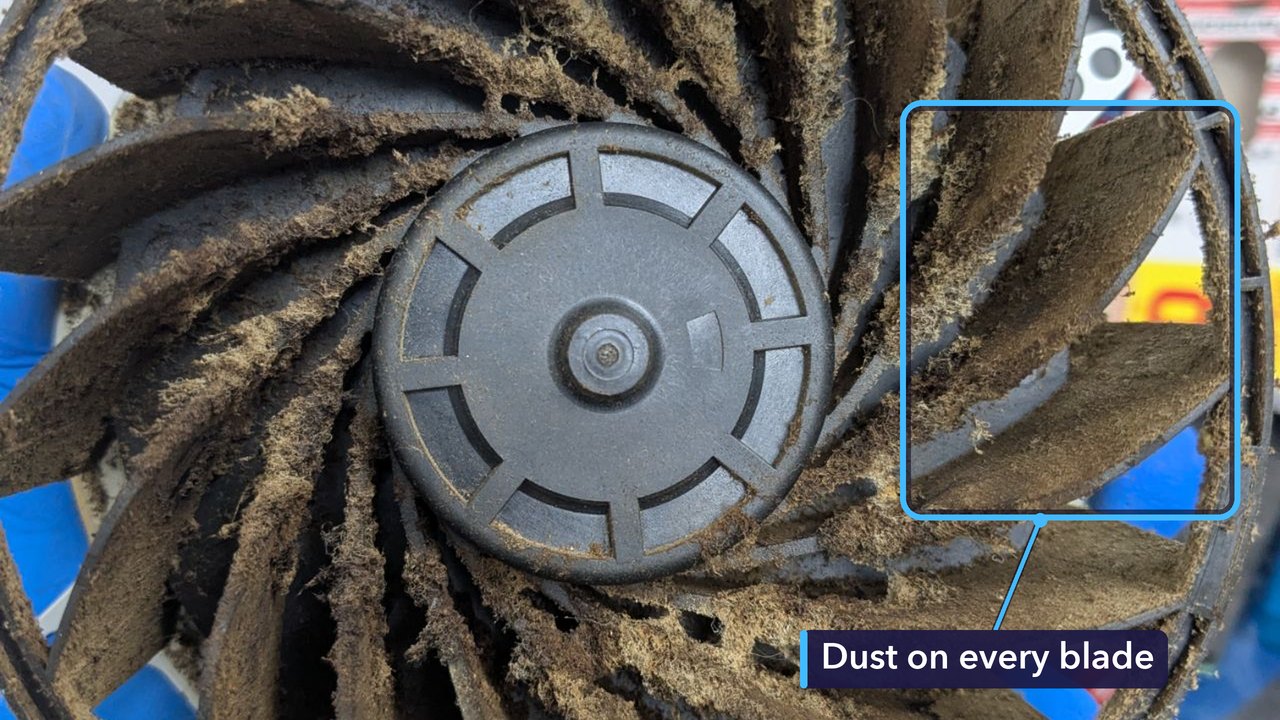
A PS5 pulls a steady stream of air through itself to keep cool, and whatever dust is floating around the room comes in with it. Over time it builds up on the fan blades and on anything else the air has to squeeze past. Dusty blades can’t move as much air as clean ones, so the cooling gets weaker bit by bit, long before you’d notice anything from the outside.
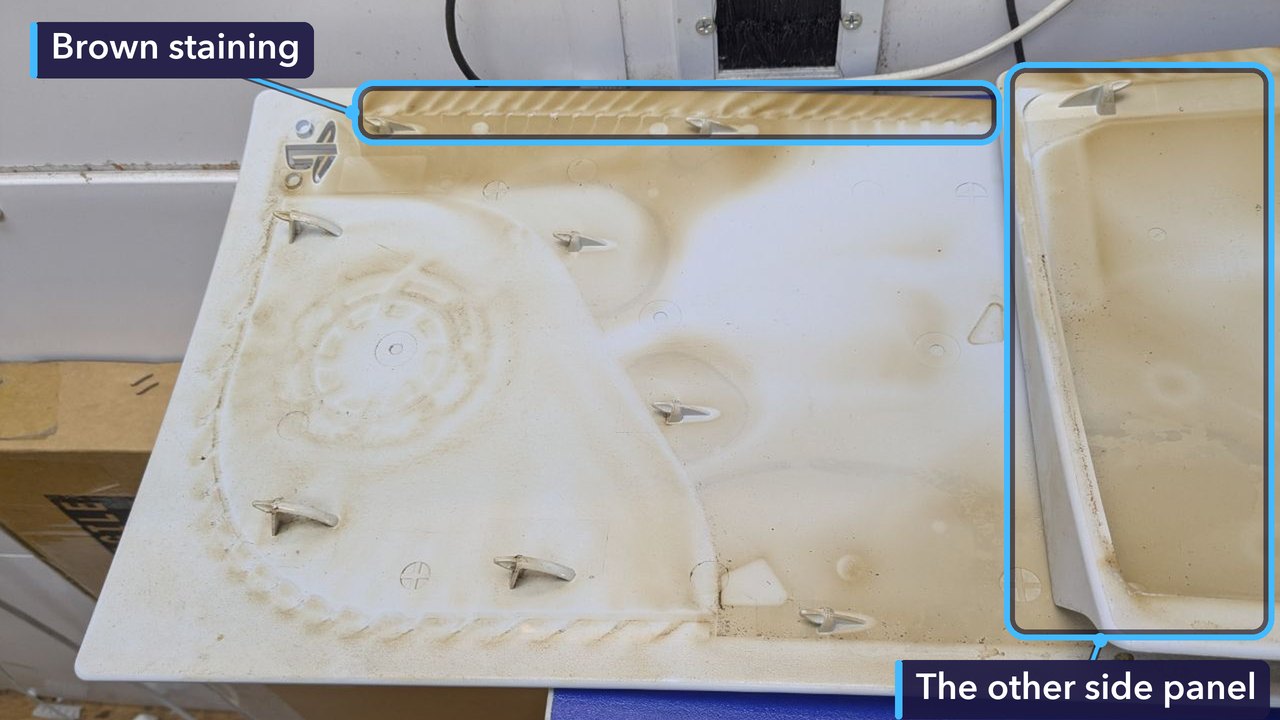
Both side panels had brown staining on the inside, heaviest along the edges. Brown staining like this is often a sign of cigarette smoke in the room. The smoke leaves a sticky film, and dust clings to it. The thickest dust was further in, though. It was packed against the heatsink, the part that gets the heat out of the main chip.
Why Dust Makes a PS5 Overheat
Most of a PS5’s heat comes from its main chip. A heatsink draws that heat away, the fan blows air through the heatsink’s fins, and the warm air leaves through the vents at the back.
Dust gets in the way. It clogs the gaps between the fins, so less air gets through and the chip runs hotter. The console spins its fan faster to make up for it, which is why a dusty PS5 often sounds louder than it used to. If that still isn’t enough, it warns you that it’s too hot and switches itself off to protect the hardware.
Our overheating service is the fix for that. We strip the console down and clean the dust out of the fan, the heatsink and the air path, so air can flow through it properly again.
For the Technically Curious
Sony’s own teardown of the PS5 showed a single large fan, 120 mm across and 45 mm thick. It’s a blower, so air comes in through the middle and gets flung out sideways, straight into the heatsink.
It draws that air in from both sides of the console at once. With the fan out, you can see a metal grille on the far side of the fan housing, with our bench showing through it. That’s the second way in.
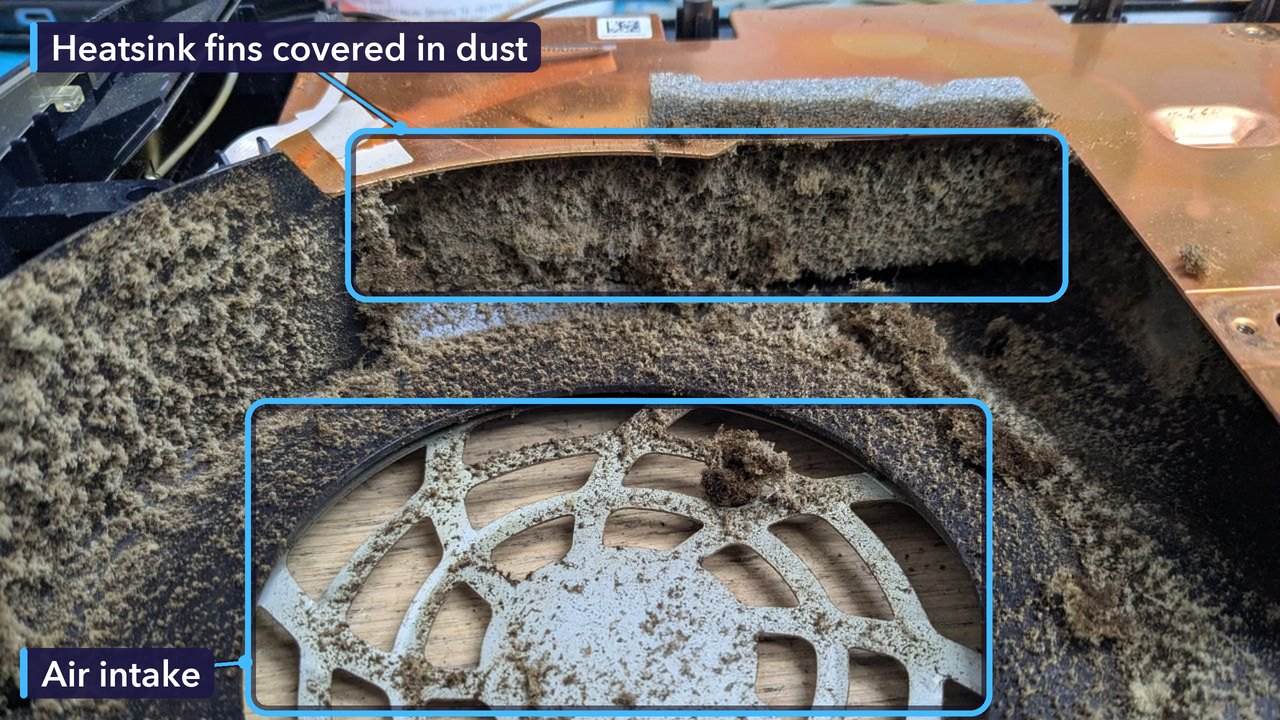
The heatsink is a block of thin metal fins, with heat pipes carrying heat into them from the main chip, a custom AMD processor that handles both the game itself and the graphics. The gaps between the fins are narrow, and the fan blows straight at them, so the side facing the fan is where dust collects first. On this PS5 it had formed a mat right across it.
Once that happens, the fan can spin as fast as it likes. Not much air gets through.
Keeping Your PS5 Cool
- Give it room. Leave at least 10 cm of space all round, and don’t shut it away in a closed cabinet.
- Keep it on a hard, flat surface. Carpets, rugs and beds shed fibres that get pulled straight in.
- Dust the vents every couple of months with a can of compressed air, in short bursts, with the console switched off and unplugged.
- Listen to it. A fan that sounds louder than it used to is working harder, and dust is a common reason.
- If it ever shuts down with a too-hot warning, let it cool before you switch it back on, and get it checked before it happens again.
- Got pets? Check the vents more often, because pet hair goes the same way as dust.
- Smoke in the room? Check the vents more often too. Smoke leaves a sticky film inside, so dust builds up faster.
How Much Did It Cost, and How Long Did It Take?
£89 in total. That was the whole bill. It came in on a Saturday just after midday, and we had it open that afternoon. We’re closed on Sundays. By late morning on the Monday it was ready to collect, and it went home that afternoon.
Some PS5s need more than this. If yours needs other work too, such as a new HDMI port, we’ll give you a quote before we start.
Get Your PS5 Fixed in St Andrews
If your PS5 sounds louder than it used to, or it’s switching itself off mid-game, bring it in and we’ll take a look. No appointment needed.
You can read more about our PS5 repairs, from HDMI ports to disc drives, or see the other console repairs we do.
Repair St Andrews, 1 City Rd, St Andrews, KY16 9XQ. Call 01334 478866 or walk in. Open Monday to Friday 09:30-17:30, Saturday 10:00-17:00.
