// MAC OS REPAIR
Mac OS Repair in St Andrews. MacOS Issues Resolved
When your Mac stops behaving. The spinning wheel that never goes away, a system that will not boot past the Apple logo, apps crashing constantly, or your entire machine grinding to a halt after a macOS update gone wrong. You need someone who understands Apple’s operating system inside and out. These problems are not always hardware failures; often the issue is corrupted system files, a bad update, a permissions conflict, or a dying drive that macOS cannot cope with. At Repair St Andrews, we have been troubleshooting and repairing macOS issues since 2011, across every version from Snow Leopard to Sequoia. Bring your Mac to 1 City Rd and we will get it running properly again.
Common macOS Issues We Fix
Stuck on Spinning Wheel or Loading Bar
Your MacBook or iMac shows the Apple logo with a loading bar that never completes, or the spinning beachball appears on every action and never goes away. This is often caused by a corrupt startup disk, a failed macOS update, or a hardware fault that prevents the system from loading.
macOS Update Failures
An update to a new macOS version stalls, fails partway through, or completes but leaves the system unstable with apps crashing, Wi-Fi dropping, or the machine running painfully slowly. We repair corrupted updates, roll back problematic upgrades, and resolve compatibility issues.
Permission and Disk Errors
Files you cannot open, apps that refuse to launch, \"operation not permitted\" errors, or disk utility reporting problems it cannot repair. These issues can stem from corrupted file system metadata, incorrect permissions after a migration, or a drive with developing bad sectors.
Kernel Panics and Random Restarts
The Mac suddenly shows a \"your computer restarted because of a problem\" message and reboots. Repeated kernel panics indicate a serious issue. Either faulty hardware (RAM, SSD, or logic board) or a corrupt system extension or driver.
Recovery Mode and Reinstallation Issues
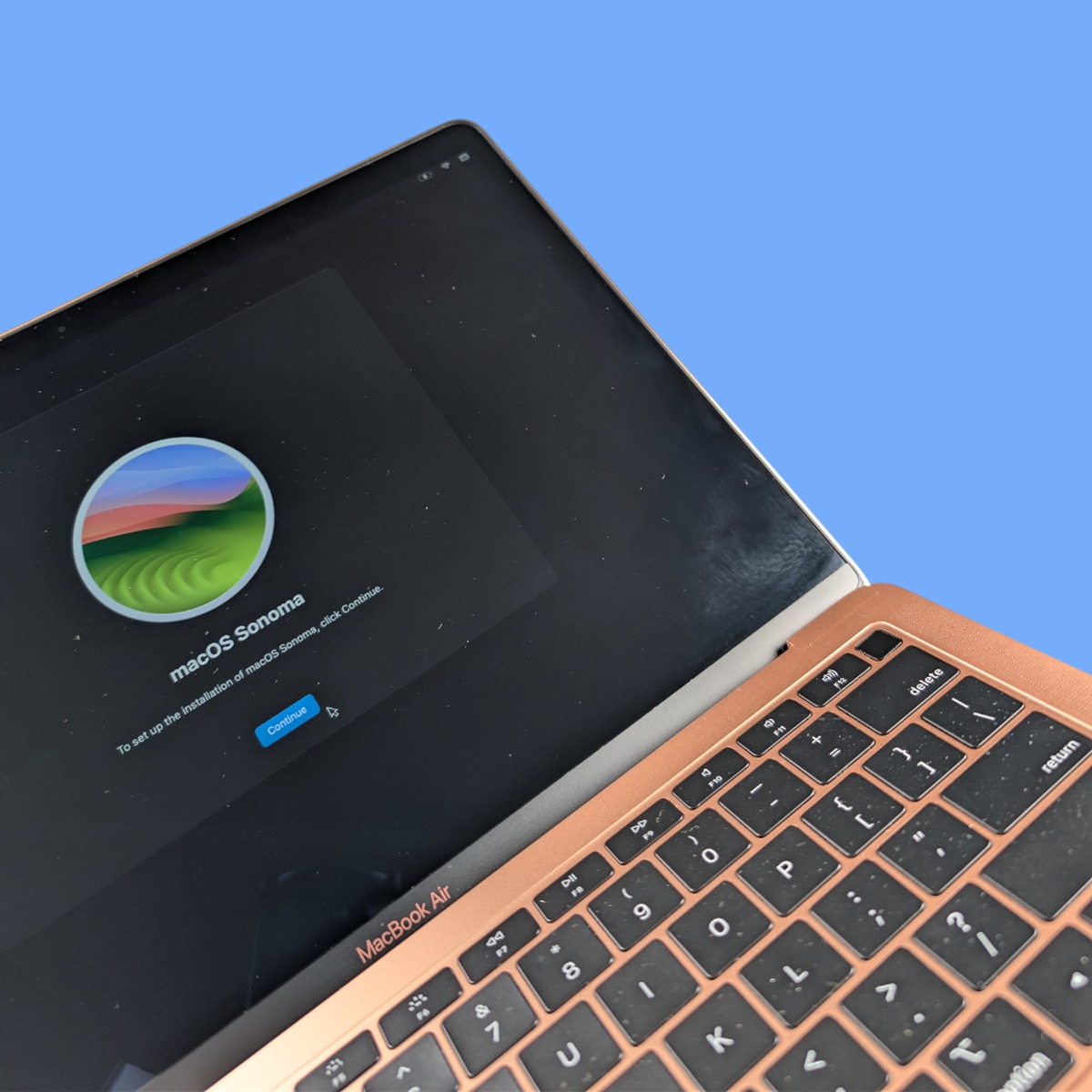
You cannot boot into macOS recovery, the recovery partition is missing or corrupted, or a reinstallation attempt fails with an error. We have the tools and bootable installers to install or reinstall any macOS version your hardware supports.
// OUR PROCESS
Our Mac OS Repair Process
We keep the process simple so your device is back in your hands quickly.
Booting into Diagnostics
We start by booting your Mac into recovery mode, single-user mode, or from an external diagnostic drive to assess the state of your system. We check the startup disk with Disk Utility's First Aid, review system logs for errors, run Apple Diagnostics for hardware faults, and test the drive's SMART status. This tells us whether the issue is software, hardware, or a combination of both.
System Repair or Clean Installation
If the issue is software. Corrupt system files, a broken update, permissions problems. We repair the system in place where possible, preserving your files and applications. If the damage is too extensive for in-place repair, we perform a clean macOS installation on the same or a new drive, then migrate your data back. If hardware is at fault (a failing drive, bad RAM), we fix the hardware first.
Post-Repair Verification
After the repair, we boot the Mac normally, verify all your applications launch correctly, test Wi-Fi and Bluetooth connectivity, confirm iCloud and Apple ID sign-in works, run a full system update, and stress-test the machine to make sure the problem does not recur. We hand back a Mac that boots cleanly, runs smoothly, and has all your data intact.
Turnaround Time
Most macOS software repairs are completed within one to two working days. Simple issues like a failed update rollback or a disk repair can be done same-day. Clean macOS installations with data migration take one to two days, as the data transfer itself can take several hours on larger drives. If the software issue turns out to be caused by hardware. A failing SSD or bad RAM. The repair may take an extra day or two for parts and hardware repair.
Pricing
macOS repair costs depend on the scope of work. A system repair or update fix is at the lower end of the scale. A clean installation with full data migration costs more, reflecting the time involved. If hardware needs replacing as well, that is quoted separately. We always diagnose first and provide a clear quote before starting work. Call 01334 478866 and describe what is happening. We will advise you on the likely fix and cost.
Frequently Asked Questions
My Mac is stuck on the Apple logo at startup. What is wrong?
The Apple logo with a loading bar means your Mac has found the startup disk but cannot fully load macOS. Common causes include a corrupt system installation, a failing hard drive or SSD, or a macOS update that did not complete properly. We boot from an external drive to bypass the stuck system, diagnose the root cause, and either repair the existing installation or perform a clean install with data recovery.
Can you downgrade my macOS to an older version?
Yes. If a macOS update has caused problems. Applications no longer working, performance degradation, or instability. We can downgrade to a previous version that worked well on your machine. This requires a clean installation of the older macOS version and migration of your data. Some newer Macs have minimum macOS requirements, so downgrading is not possible on all machines, but we will advise what is possible for your specific Mac.
Will I lose my files if you need to reinstall macOS?
We always prioritise preserving your data. In most cases, we can back up your files before performing a reinstallation, then restore them to the freshly installed system. If the drive is so badly damaged that we cannot access the files through normal means, we use data recovery techniques to extract as much as possible before proceeding. We will always discuss the data situation with you before doing anything that could affect your files.
My Mac is running very slowly after the latest macOS update. Is that normal?
It is common for Macs to run slowly for a day or two after a major macOS update while Spotlight re-indexes your files and the system optimises itself. However, if the slowdown persists beyond a few days, the update may have introduced a compatibility issue, or your Mac’s hardware may be struggling with the demands of the newer operating system. Older Macs with mechanical hard drives are particularly affected. An SSD upgrade combined with a clean macOS installation can transform performance.
Can you help me set up Time Machine backups?
Absolutely. Regular backups are the single best protection against data loss, and Time Machine is Apple’s built-in backup solution. We can recommend a suitable external drive, configure Time Machine, and make sure it is backing up correctly. If you already have Time Machine backups, we can restore from them during a macOS repair to bring your system back to a known-good state.
Will macOS repair delete my files?
Not if we can help it. Our first approach is always to repair the system in place, which preserves all your files, applications, and settings. If a clean reinstall is necessary, we back up your data first and restore it afterwards. The only scenario where data loss is a risk is if the drive itself is physically failing. And even then, we use data recovery techniques to salvage as much as possible. We will explain the situation clearly before starting any work.
My Mac is stuck on the loading screen. Can you fix it?
Yes, this is one of the most common macOS issues we deal with. A Mac stuck on the Apple logo with a progress bar, a spinning globe, or a blank screen usually has a software problem. A corrupt startup disk, a failed update, or a damaged file system. We boot from external recovery tools to bypass the stuck system, diagnose the fault, and repair or reinstall macOS as needed. In most cases we can preserve your data throughout the process. Bring it to us at 1 City Rd, St Andrews. No appointment needed during our opening hours (Mon-Fri 09:30-17:30, Sat 10:00-17:00).
We also offer MacBook repair, iMac repair, and general software repair. See all our computer repair services in St Andrews. If your Mac has been infected, our virus removal service can help. If you know your model, you can book directly for your MacBook Pro 16" M3 Pro / M3 Max, iMac 24" A3137 (2024) (Four ports), MacBook Air 15" M3 and Mac mini A3238 / A3239 (2024). Head back to our homepage to see the full range of services we offer.
// GET STARTED
Book Your Mac OS Repair
Visit us at 1 City Rd, St Andrews, KY16 9XQ | Mon–Fri 09:30–17:30, Sat 10:00–17:00