Galaxy Tab Fire HD MatePad Surface SAMSUNG AMAZON LENOVO HUAWEI

// TABLET REPAIR

Tablet Repair in St Andrews. Every Brand Fixed, Not Replaced

Not every tablet is an iPad, and not every repair shop bothers with the rest. Your Samsung Galaxy Tab has a cracked screen and you are being told to “just buy a new one.” Your Amazon Fire tablet will not charge. Your Huawei MatePad’s battery barely lasts an hour. These are perfectly good devices that deserve a proper repair, not the bin.

Repair St Andrews fixes tablets of every brand. Samsung, Amazon, Huawei, Lenovo, Microsoft Surface, and anything else you might own. We have been repairing tablets at our 1 City Rd workshop, right beside the West Port, since the early days of the tablet market. If it has a screen and a battery, we can work on it.

Tablet Brands and Repairs We Cover

Samsung Galaxy Tab

Galaxy Tab S series (the premium line with AMOLED displays), Galaxy Tab A series (the popular mid-range), and older Galaxy Tab models. Screen replacements, battery swaps, charging port repairs, and software troubleshooting. Samsung tablets use the same adhesive-heavy construction as Samsung phones, requiring heat and patience to disassemble properly.

Amazon Fire

Fire 7, Fire HD 8, Fire HD 10, and the Kids Edition variants. These are affordable tablets that Amazon practically gives away, but they are used heavily. Especially by children. And screens crack, charging ports clog, and batteries wear out. We repair them all, and the parts are affordable enough that repair almost always makes sense.

Huawei MatePad

MatePad, MediaPad M and T series. Despite Huawei's reduced market presence, plenty of people still use and like their tablets. We carry common parts and can source others quickly.

Lenovo Tab

Tab P, Tab M, and Yoga series. Lenovo makes solid tablets that are popular in educational settings. Screen and battery repairs are our most common Lenovo jobs.

Microsoft Surface

Surface Pro, Surface Go, and Surface Book. These are a different beast to standard tablets. They are essentially full Windows computers in tablet form. We handle screen replacements, battery replacements, and charging port repairs on Surface devices.

// OUR PROCESS

Our Tablet Repair Process

We keep the process simple so your tablet is back in your hands the same day.

Step 1: Identification and Diagnosis

Tablet model numbers can be confusing, especially with Samsung and Amazon's overlapping naming conventions across years. We identify your exact model (manufacturer, year, size, and specification variant), diagnose the specific fault, and check for any secondary issues that might not be immediately obvious. For example, a cracked screen might also have a swollen battery that caused additional internal damage. We give you a full picture and a clear quote before starting.

Step 2: Repair

The repair approach depends on the tablet and the fault. Screen replacements on tablets follow a similar process to iPad repairs: heat to soften adhesive, careful glass separation, flex cable transfer, new screen installation, and fresh adhesive sealing. Battery replacements require screen removal first on most tablets (unlike some phones where you can access the battery from the back). Charging port repairs vary by tablet. Some have the port soldered directly to the logic board, requiring micro-soldering, while others use a modular flex cable that can be swapped more straightforwardly.

Step 3: Testing

After the repair, we test the full device: screen display quality and touch accuracy, charging via cable, battery charge retention, speakers and microphone, cameras, Wi-Fi and Bluetooth connectivity, and any model-specific features (like Samsung's S Pen input or Amazon's Alexa integration). We only hand the tablet back when everything is working as it should.

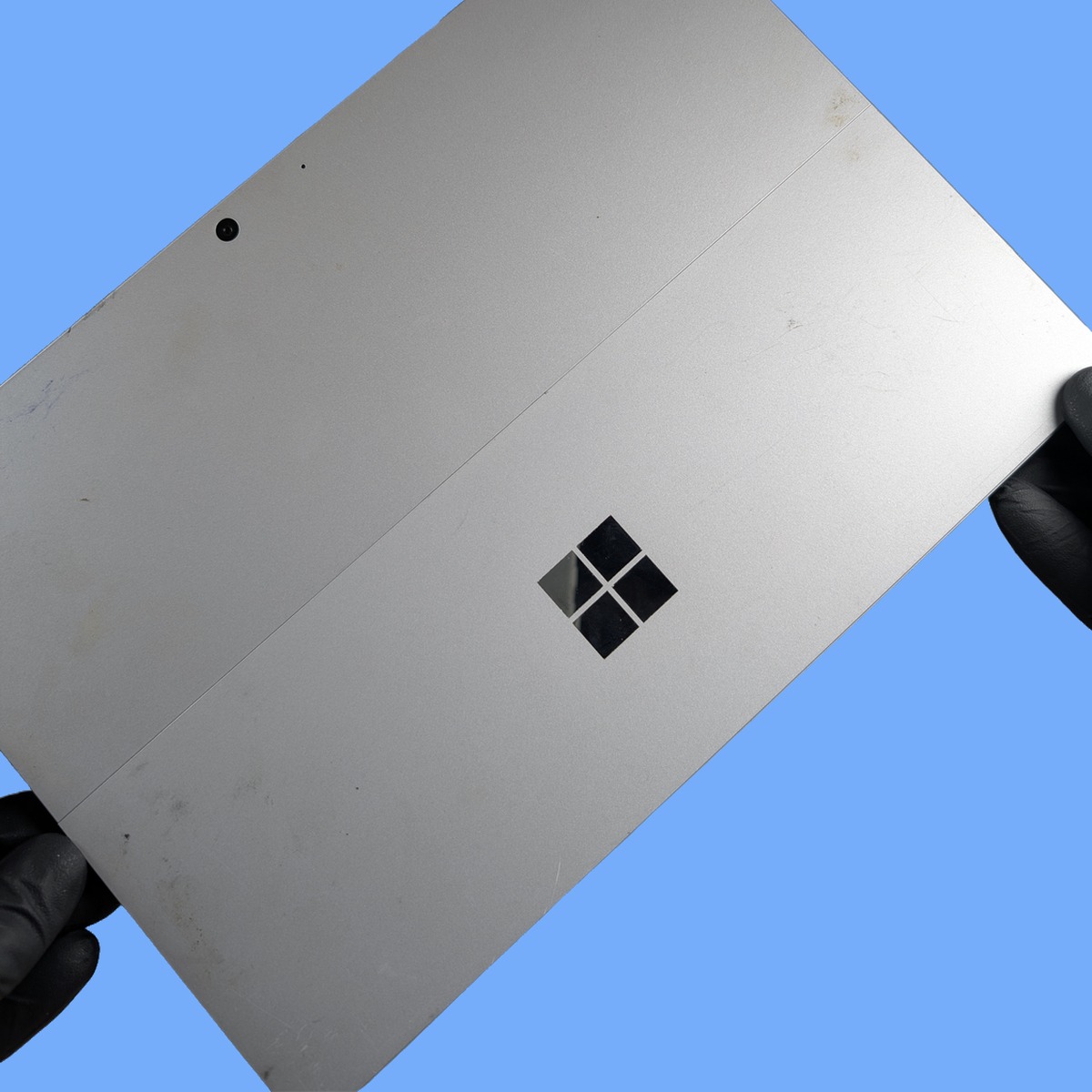
Tablet repair in St Andrews - Microsoft Surface held by technician

Turnaround Time

Most common tablet repairs. Screen replacement, battery swap, charging port fix. Take two to four hours. Tablets are generally more time-consuming than phone repairs because of their larger screens and more adhesive. Samsung Galaxy Tab screen repairs tend to be at the quicker end. Microsoft Surface devices take longer because of their more complex construction. If we need to order a specific part, we will let you know the expected timeline. Usually one to two working days for popular models.

Walk-ins welcome during opening hours: Monday to Friday 09:30 to 17:30, Saturday 10:00 to 17:00. Call 01334 478866 beforehand to check we have the right parts for your tablet.

Tablet Repair Pricing

Tablet repair costs vary widely depending on the brand, model, and type of repair. Amazon Fire tablets are the most affordable to repair. Both the parts and the labour are at the budget end, reflecting the tablet’s own price point. Samsung Galaxy Tab repairs are moderately priced, with the Tab S series costing more than the Tab A. Microsoft Surface repairs tend to be at the premium end because the parts are expensive and the construction is more complex.

We always provide a specific quote for your tablet and repair before starting. If the repair would cost more than the tablet is worth. Which can happen with very old or very budget tablets. We will tell you honestly so you can decide whether to proceed.

For a quote, call 01334 478866 or drop the tablet in to 1 City Rd.

Frequently Asked Questions

Is it worth repairing a cheap Amazon Fire tablet?

Usually, yes. Fire tablets are affordable to buy new, but they are also affordable to repair. A screen replacement on a Fire HD 8, for example, costs a fraction of a new tablet. If the tablet works well and you are happy with it, repair makes good sense. Where it gets questionable is when multiple things are wrong. A cracked screen plus a dead battery plus a faulty charging port on a five-year-old Fire 7 might not be worth the combined repair cost. We will give you a straightforward assessment.

Can you repair a tablet my child has damaged?

Absolutely. Children’s tablets. Especially the Amazon Fire Kids Edition. Take a remarkable amount of punishment. The rubber cases protect against some drops, but screen cracks, charging port damage from rough cable insertion, and water or juice spills still happen regularly. We see damaged kids’ tablets frequently and the repairs are usually very straightforward. If your child has managed to jam something into the charging port (we have seen food, crayon, and LEGO pieces), we can clean that out too.

Do you repair tablet keyboards and accessories?

We focus on the tablet itself rather than external accessories like keyboard cases or styluses. However, if the tablet’s own connector (the pogo pins on a Surface or the magnetic connector on a Galaxy Tab keyboard) is not working properly, we can investigate and repair that as it is part of the tablet itself. For standalone Bluetooth keyboards, the issue is usually pairing rather than hardware, and we are happy to help troubleshoot.

My tablet is very slow. Is that a hardware problem you can fix?

Slow performance on tablets is most commonly a software issue. Too many apps installed, insufficient storage space, or an outdated operating system. Before recommending a hardware repair, we check these things first. If the tablet has adequate free storage and up-to-date software but is still slow, the issue might be the battery (a degraded battery causes the processor to throttle). A battery replacement can sometimes restore noticeable speed. In some cases, the tablet is simply too old and underpowered for modern apps, and we will tell you if that is the case.

Can you install apps or set up a new tablet for me?

Yes. While our main business is hardware repair, we are happy to help with software setup, data transfer from an old tablet to a new one, app installation, email configuration, and general “how do I use this” questions. If you have just bought a new tablet and want help getting it set up, or if you need data transferred from a broken tablet to a replacement, bring both devices in and we will sort it out.

Can you transfer data from a broken tablet?

In most cases, yes. If the tablet powers on but the screen is broken, we can usually recover your data by connecting the tablet to a test screen or using diagnostic tools to access the storage. If the tablet does not power on at all, data recovery depends on the extent of the damage. We will assess the situation and let you know what is possible. For tablets used by children or for school, we know how important those photos and documents are.

Do you offer school or bulk discounts?

Yes. St Andrews has several schools and the university, and we regularly repair tablets in batches for educational institutions. If you have multiple tablets that need repair, get in touch and we can discuss a bulk rate. Call 01334 478866 or email us with details of what needs doing.

Can you repair a tablet with a cracked back?

Yes, for tablets that have glass or composite rear panels (like some Samsung Galaxy Tab models), we can replace the back panel. This restores the aesthetics and, where applicable, wireless charging functionality. Metal-backed tablets (like most iPads) do not usually crack on the back, but if dented we can sometimes straighten the frame to ensure the screen sits flush.

// GET STARTED

Book Your Tablet Repair

Visit us at 1 City Rd, St Andrews, KY16 9XQ | Mon–Fri 09:30–17:30, Sat 10:00–17:00

Chat on WhatsApp