
64% CYCLES CAPACITY HEALTH CELL TEMP Li-Ion 3.82V

// IPAD BATTERY REPLACEMENT

iPad Battery Replacement in St Andrews. All-Day Battery Restored

Your iPad used to last ten hours on a charge. Now you are lucky to get three. You plug it in at night, use it over breakfast, and by mid-morning it is begging for the charger again. Maybe it shuts down randomly at 25%, or the battery percentage jumps around unpredictably. Your iPad has become a desktop device. It only works when it is plugged in. And that defeats the entire point of a tablet.

Repair St Andrews replaces iPad batteries for all models. Standard iPad, iPad Air, iPad Pro, and iPad Mini. We have been at 1 City Rd, beside the West Port, since 2011, and iPad battery replacements are one of our regular repairs. A new battery restores the all-day stamina your iPad was designed for.

Signs Your iPad Battery Needs Replacing

Reduced Battery Life

Drastically reduced battery life. The iPad lasts a few hours instead of the ten-plus hours it managed when new. You have tried closing apps, reducing brightness, and turning off background refresh, but it makes barely any difference.

Unexpected Shutdowns

Random shutdowns. The iPad powers off at 15% or 20% instead of lasting down to 1%. Under heavy load (video editing, gaming, or FaceTime calls), it may shut down even sooner.

Slow Charging

Very slow charging. The iPad takes much longer to charge than it used to, sometimes six to eight hours for a full charge. This can indicate a degraded battery that is not accepting charge efficiently.

Swollen Battery

Swollen battery. The screen is lifting away from the frame or there is a noticeable bulge on the back of the iPad. This is the battery expanding due to internal gas buildup. Stop using the iPad and bring it to us. Do not try to charge a visibly swollen battery.

Overheating

Overheating. The iPad gets noticeably hot during normal use or charging. Some warmth is normal, but if it is uncomfortable to hold, the battery may be failing.

// OUR PROCESS

Our iPad Battery Replacement Process

We keep the process simple so your iPad is back in your hands the same day.

Step 1: Diagnostic Check

We run diagnostics to confirm the battery is the problem and not a software issue, a failing charging port, or a rogue app draining power. We check the battery's actual capacity versus its designed capacity, the charge cycle count, and the voltage behaviour under load. If the battery is genuinely degraded. And in most cases when customers describe the symptoms above, it is. We quote the replacement and can often start right away.

Step 2: Battery Removal and Replacement

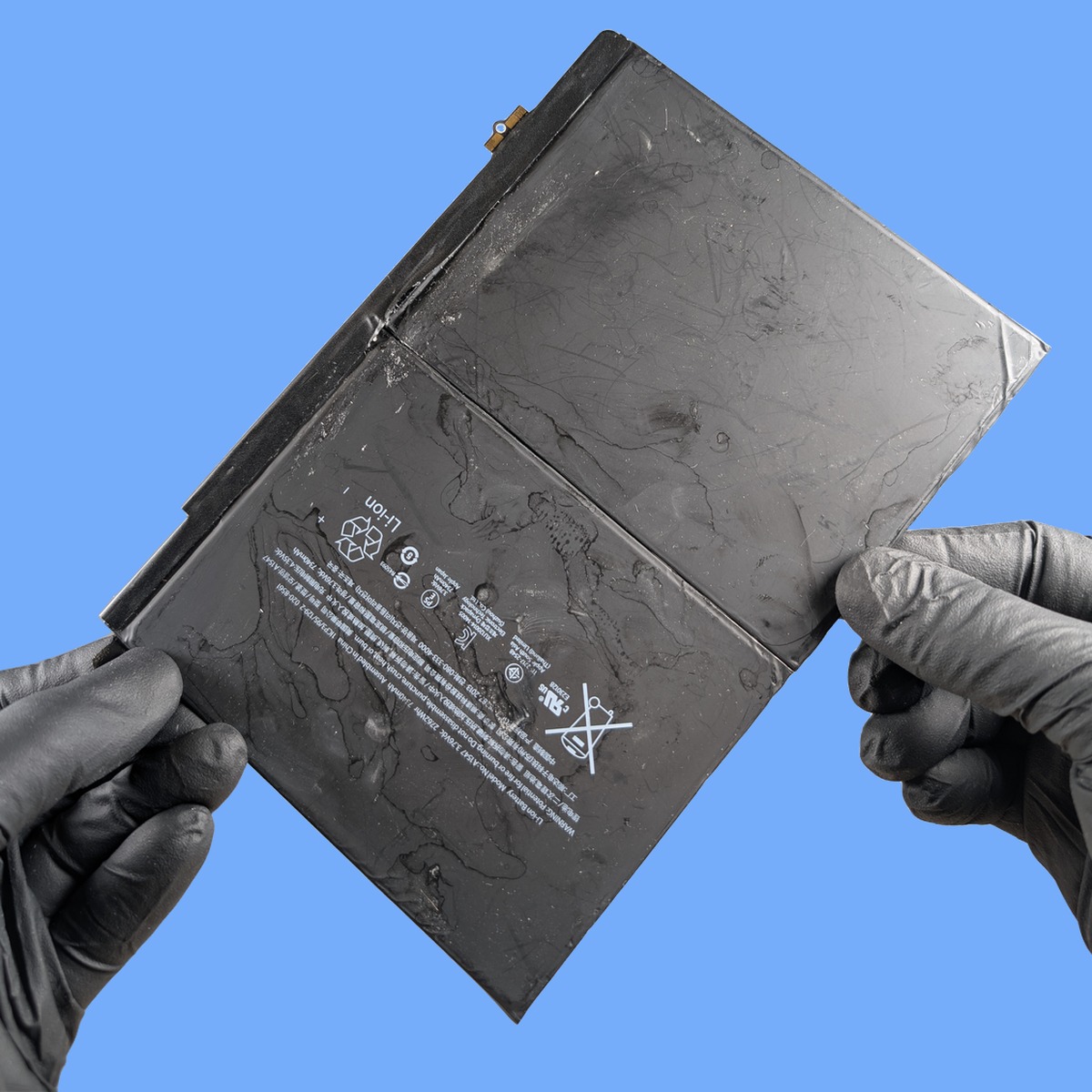
iPad batteries are large (they need to be, to power that big screen all day) and are adhered to the internal chassis with strong adhesive strips. Accessing the battery requires removing the screen first, which on iPads means carefully heating and separating the glass from the frame. Once inside, we disconnect the old battery and methodically work the adhesive free without bending or puncturing the cell. Lithium batteries must be handled with care. The new battery is installed, connected, and the adhesive is refreshed for the screen re-attachment.

Step 3: Reassembly and Testing

The screen is reseated with fresh adhesive, and we run a full test: the iPad powers on, charges correctly from the Lightning or USB-C port, the battery percentage reads accurately, and the screen (which was removed to access the battery) is fully functional. Touch, display, cameras, sensors, and Touch ID or Face ID where applicable. We keep the iPad under light clamp pressure while the adhesive sets for a secure long-term bond.

iPad battery replacement in St Andrews - iPad battery held by technician

Turnaround Time

iPad battery replacement typically takes two to three hours. The time is largely spent on the careful screen removal and reinstallation. The actual battery swap is relatively quick once we have access. We also allow time for adhesive curing. If you drop the iPad off in the morning, it is usually ready by the afternoon. For iPad Pro models with larger batteries and more complex internal layouts, allow a little longer.

Walk-ins welcome: Monday to Friday 09:30 to 17:30, Saturday 10:00 to 17:00. Call 01334 478866 if you want to check we have your model’s battery in stock.

iPad Battery Replacement Pricing

Pricing depends on the iPad model. Standard iPads and iPad Minis are the most affordable because the batteries are smaller and more widely available. iPad Air models are moderately priced. iPad Pro models. Especially the 12.9-inch versions. Are at the higher end because the batteries are physically larger and more expensive to source. The complexity of the repair also varies: newer iPad Pros require more disassembly than older standard iPads.

Our quote covers the battery, the labour (including screen removal and reinstallation), and full post-repair testing. Everything is included. No surprise charges.

Call 01334 478866 or visit 1 City Rd for a quote.

Frequently Asked Questions

How long will a new iPad battery last?

A quality replacement battery will restore your iPad’s battery life to its original level. You should get two to four years of good service, depending on usage. iPads tend to have longer battery lifespans than phones because they are charged less frequently and their larger batteries undergo fewer complete charge cycles per year. To maximise longevity, avoid storing the iPad in very hot environments (like a car in summer) and try to keep the charge between 20% and 80% most of the time.

Is it worth replacing the battery in an old iPad?

It depends on the model. If your iPad still receives software updates and runs the apps you need, a battery replacement makes good economic sense. It is far cheaper than buying a new iPad and gives you years more use. If the iPad is so old that it no longer receives updates and key apps are starting to drop support (iPadOS compatibility), the money might be better put toward a new device. We will give you an honest recommendation based on your specific model when you bring it in.

My iPad's screen is lifting. Is that a battery problem?

Almost certainly. When an iPad battery swells, it expands and pushes the screen away from the frame. This is the most visible symptom of a swollen battery and it should be addressed promptly. We replace the battery and reseat (or replace, if it was damaged) the screen. If you notice the screen lifting, stop charging the iPad and bring it in. See our iPad screen repair page for related information.

Will replacing the battery delete my data?

No. A battery replacement is a hardware-only procedure. Your photos, apps, documents, and settings are stored on the iPad’s internal flash storage, which is completely separate from the battery. Everything will be exactly as you left it when you get the iPad back. We do not need to access your passcode or reset anything.

Can I still use my iPad while waiting for the repair?

Since the repair takes two to three hours, you will be without the iPad during that time. If you need a device urgently, bring any time-sensitive work up to date before dropping it off. We do not offer loaner devices, but St Andrews has excellent Wi-Fi in the library and many cafes if you need to work on a laptop while you wait.

Can I replace my iPad battery myself?

We strongly advise against it. iPad batteries are glued to the aluminium chassis with strong adhesive, and removing them without the right tools and technique risks puncturing the battery (which can cause a fire) or damaging the logic board and display cables that run underneath. Professional iPad battery replacement requires heat pads, plastic spudgers, and experience knowing exactly how much force to apply. It is not like changing a AA battery. The margin for error is very small.

How do I check my iPad battery health?

On iPads running iPadOS 16.1 or later, go to Settings > Battery > Battery Health. It shows your Maximum Capacity as a percentage of the original. If it is below 80%, the battery is significantly degraded. On older iPadOS versions, this screen is not available, but you can bring the iPad in and we will run a diagnostic that shows the exact battery capacity, cycle count, and health status.

Does battery replacement void my warranty?

If your iPad is still under Apple’s warranty or AppleCare, a third-party battery replacement will void it. If your iPad is out of warranty (typically after 12 months without AppleCare), there is no warranty to void and a battery replacement is a cost-effective way to extend the iPad’s life by several more years. Most iPads that need battery replacement are well past their warranty period.

// GET STARTED

Book Your iPad Battery Replacement

Visit us at 1 City Rd, St Andrews, KY16 9XQ | Mon–Fri 09:30–17:30, Sat 10:00–17:00

Chat on WhatsApp