
// LAPTOP BATTERY REPLACEMENT
Laptop Battery Replacement in St Andrews. Work Unplugged Again
If your laptop dies the moment you unplug it, or the battery barely lasts through a single lecture, you have lost the entire point of having a portable computer. You are tethered to a power socket, fighting for plug points in the library, and you cannot trust it to last a meeting or a train journey. A degraded laptop battery does not get better on its own. It only gets worse. At Repair St Andrews, we replace laptop batteries for all major brands, restoring the portable freedom your machine was built for. We have been handling laptop repairs at 1 City Rd since 2011, and battery replacements are one of our most common and straightforward jobs.
Signs Your Laptop Battery Needs Replacing
Battery Life Has Collapsed
If a laptop that used to last six hours now struggles through one, the cells have degraded. Lithium-ion batteries lose capacity with every charge cycle, and after 500-1,000 cycles most batteries are below 80 per cent of their original capacity.
Sudden Shutdowns
Your laptop shows 40 per cent battery remaining but powers off without warning. This happens when worn-out cells cannot deliver enough current under load, even though the charge indicator thinks there is power left.
Battery Is Swollen or Bulging
If the base of your laptop is not sitting flat, the trackpad is raised, or you can see a gap forming in the casing, the battery has expanded. This needs attention promptly. Do not keep using the laptop in this state.
Only Runs on Mains Power
If removing the charger causes an instant shutdown, the battery has reached end of life. In some cases, the charging circuit on the motherboard may also be at fault, which we diagnose before replacing the battery.
Overheating During Charging
Windows or macOS monitor battery condition and will display warnings like "Consider replacing your battery" or "Service Battery" when capacity drops below a threshold. These warnings are accurate and should not be ignored.
// OUR PROCESS
Our Battery Replacement Process
We keep the process simple so your device is back in your hands quickly.
Battery Health Check
We run diagnostic software to check the battery's current maximum capacity against its design capacity, the charge cycle count, and whether the charging circuit is functioning correctly. This confirms that the battery is genuinely the problem and not a faulty charger, charging port, or motherboard issue.
Battery Replacement
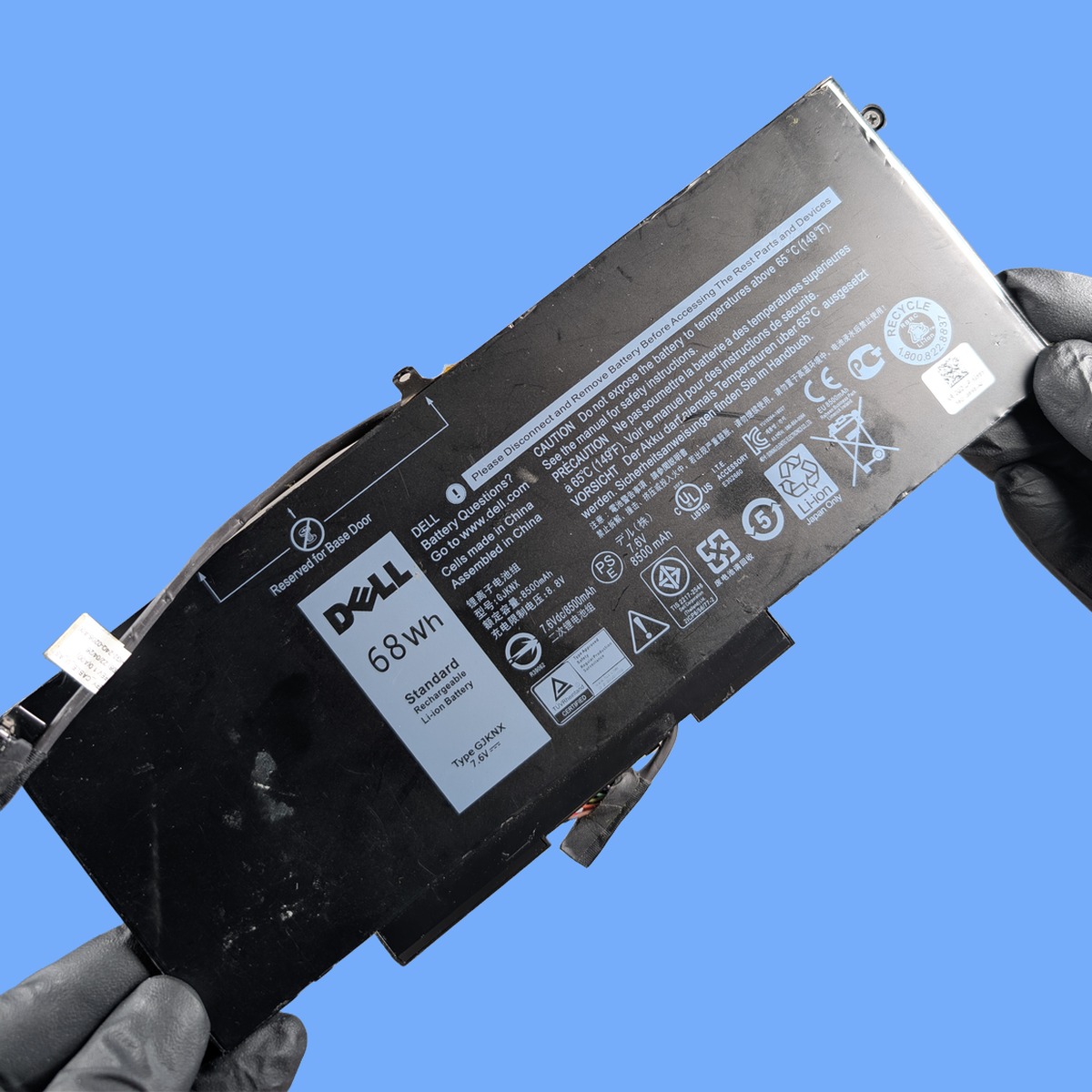
We source a high-quality replacement battery matched to your exact laptop model. Correct voltage, capacity, connector type, and physical dimensions. The old battery is carefully removed (some are screwed in, others use adhesive) and the new cell is installed and connected. We handle Dell, HP, Lenovo, Asus, Acer, Toshiba, Samsung, and every other brand.
Charge Test and Calibration
After fitting the new battery, we run a complete charge cycle to verify it reaches full capacity and holds its charge under normal use. We check that the operating system correctly reports the battery health and estimated remaining time, and we reset any battery calibration data to ensure accurate reporting going forward.
Turnaround Time
Laptop battery replacements are usually completed within a day or two. We source compatible batteries quickly for Dell, HP, Lenovo, and other models. Once the battery arrives, fitting typically takes just a couple of hours. Less common models or ultrabooks with integrated batteries may take a little longer if a specific battery needs to be ordered. We will confirm the timeline when you bring your laptop in or call us.
Pricing
Battery replacement costs vary by laptop brand and model. Standard removable batteries for business laptops like the Lenovo ThinkPad or Dell Latitude tend to be the most affordable. Integrated batteries in ultrabooks and modern thin-and-light laptops cost a bit more, partly because they require more labour to install safely. We always provide a quote before starting work. Call 01334 478866 with your laptop model for an immediate price.
Frequently Asked Questions
How long should a laptop battery last before needing replacement?
Most laptop batteries are designed for 500 to 1,000 full charge cycles, which translates to roughly two to four years of daily use. After that, capacity drops below 80 per cent and degradation accelerates. How long yours lasts depends on usage patterns. If you regularly run the battery down to zero and charge back to 100 per cent, it will wear out faster than if you keep it between 20 and 80 per cent.
Can I replace my laptop battery myself?
On older laptops with removable batteries that slide out from the bottom, yes. It is straightforward. But most modern laptops have internal batteries secured with screws or adhesive, connected with ribbon cables near sensitive components. Opening the laptop incorrectly can damage the casing, the motherboard connector, or the battery itself. Professional replacement is safer and comes with a warranty on the work.
Will a new battery give me the same life as when the laptop was new?
Yes. A quality replacement battery matched to your laptop model will deliver the same capacity as the original. In fact, some aftermarket batteries offer slightly higher capacity than the factory-fitted cell. Your actual battery life depends on how you use the laptop. Screen brightness, running applications, Wi-Fi usage. But the hardware capability will be fully restored.
My laptop is five years old. Is it worth replacing the battery?
If the laptop still meets your needs. It runs the software you use, the processor and RAM are adequate, and the screen and keyboard are in good condition. Then a battery replacement is excellent value. It is a fraction of the cost of a new laptop and can give you two to three more years of portable use. We will tell you honestly if we think the laptop is not worth investing in.
How do I know if my laptop battery needs replacing?
The clearest signs are dramatically reduced battery life, unexpected shutdowns when the charge indicator still shows power remaining, or a physical bulge in the laptop’s base. Both Windows and macOS also have built-in battery health reporting. On Windows, run “powercfg /batteryreport” from the command prompt, and on macOS check System Information under Power. If your battery health is below 80 per cent of its design capacity, it is time for a replacement. Bring your laptop to 1 City Rd and we will run a full diagnostic for free.
Can a third-party battery damage my laptop?
Not if it is a quality replacement matched to your laptop model. We source batteries with the correct voltage, capacity, and connector for your specific machine, and we test every battery before and after installation. Cheap unbranded batteries from online marketplaces can be a risk. Incorrect voltage or poor cell quality can cause problems. The batteries we fit are high-quality components with proper safety circuitry, and we stand behind every replacement with a warranty.
Will replacing the battery fix slow performance?
It can, yes. When a laptop battery degrades, many systems reduce CPU performance to conserve power and prevent unexpected shutdowns. This is especially common on Windows laptops with power management throttling. A new battery allows the system to run at full speed again. If your laptop feels sluggish and the battery is old, replacing it is worth trying before assuming you need a new machine. If performance issues persist after the battery swap, we can investigate further. Sometimes a logic board issue or overheating problem is the real culprit.
We also offer MacBook battery replacement, laptop screen repair, and laptop keyboard repair. See all our computer repair services in St Andrews. If you know your model, you can book directly for your MacBook Air 13" M2, Dell Inspiron Series, HP Pavilion Series and Lenovo IdeaPad Series. Head back to our homepage to see the full range of services we offer.
// GET STARTED
Book Your Laptop Battery Replacement
Visit us at 1 City Rd, St Andrews, KY16 9XQ | Mon–Fri 09:30–17:30, Sat 10:00–17:00