
MacBook Air M4 Liquid Damage: A Real Repair in St Andrews
MacBook Air M4 Liquid Damage: A Real Repair in St Andrews
MacBook Air M4 Liquid Damage: A Real Repair in St Andrews
This MacBook Air M4 came into our City Road shop in October. Once the bottom case was off, the problem was easy to spot. Liquid had got into the trackpad and its cable, and corrosion was already growing on the trackpad’s circuit board.
We diagnosed it within half an hour of booking it in. A new trackpad went in the next day, the Mac passed all 13 checks in our laptop test, and the bill came to £249, including the £49 diagnostic.
What We Found Inside
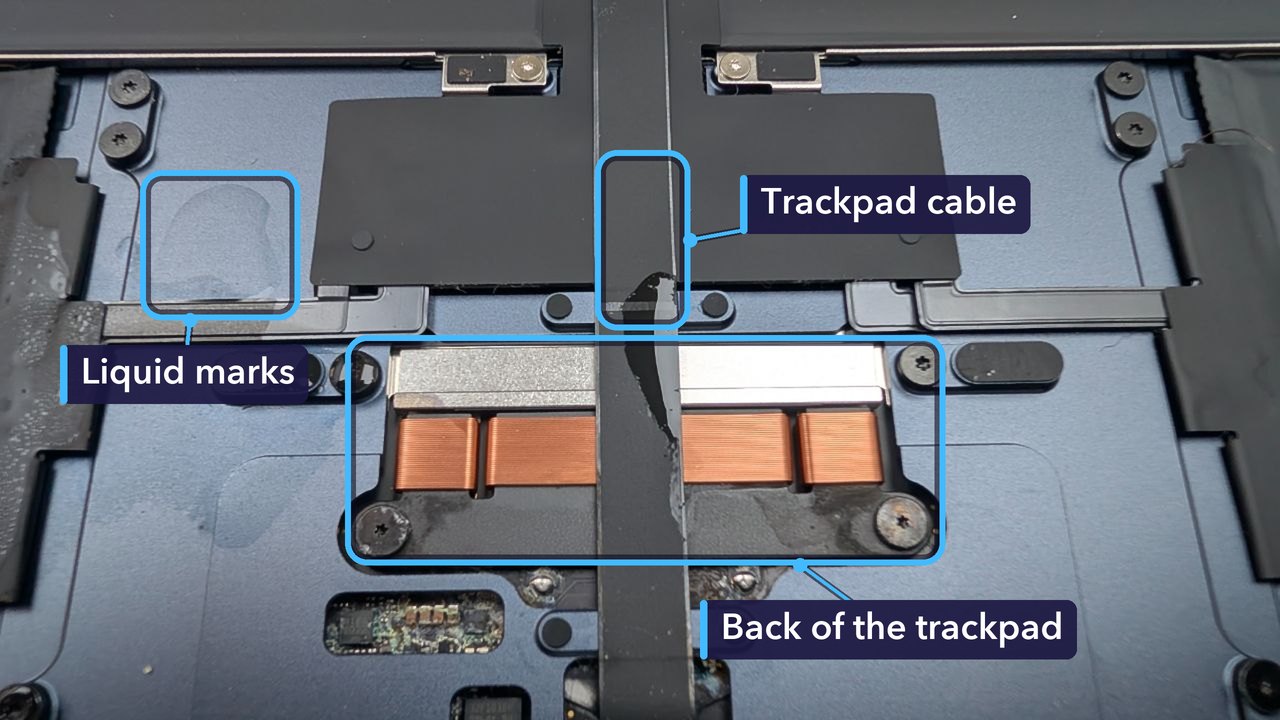
Liquid rarely stays where it lands on a laptop. It slips through the gaps around the keys and the trackpad, then spreads across whatever is underneath. On this Mac it had reached the trackpad and the cable that links it to the rest of the machine.
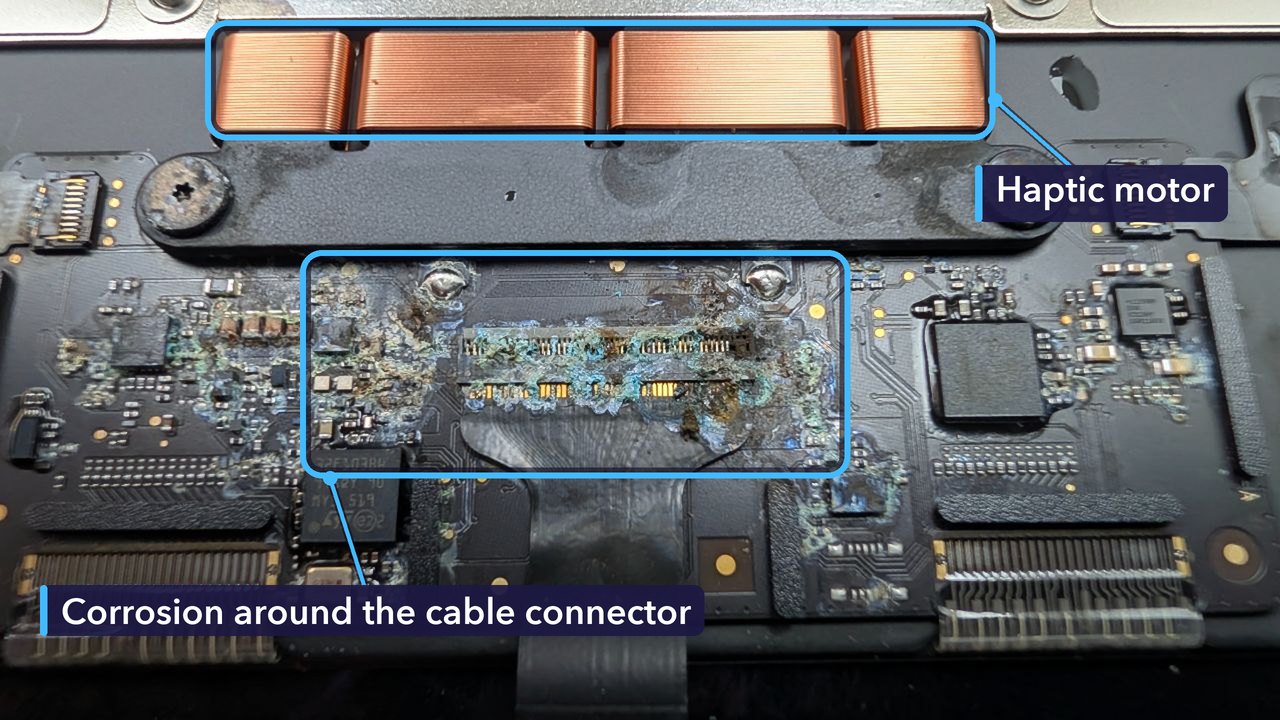
That crust is what you get when liquid sits on a circuit board and reacts with the metal in the solder joints and copper tracks. It won’t wipe off. Worse, it keeps spreading for as long as there’s moisture and power, slowly eating into the tiny connections between parts.
Why a New Trackpad Was the Fix
Corrosion on a trackpad board can stop the trackpad clicking, make the pointer move on its own, or stop it responding altogether. The damage on this Mac was in the trackpad and its cable, so the trackpad was the part to replace.
It was the only part the Mac needed. The new trackpad arrived the next day, we fitted it that afternoon, and by the end of the day the Mac was tested, working and ready to collect.
For the Technically Curious
The machine was a 13-inch MacBook Air with the M4 chip, from 2025: model number A3240, model identifier Mac16,12.
Its trackpad is Apple’s Force Touch design. There’s no click mechanism inside it at all. Pressure sensors measure how hard you press. A small haptic motor, which Apple calls the Taptic Engine, then taps back so it feels like a click. Clever, but delicate. The copper coils along the top of the board in the photos are that motor.
The trackpad carries its own chips on its own board, and a flex cable links it to the Mac’s main board. On this one the corrosion was heaviest right around that cable’s connector, which is exactly where the trackpad talks to the rest of the machine.
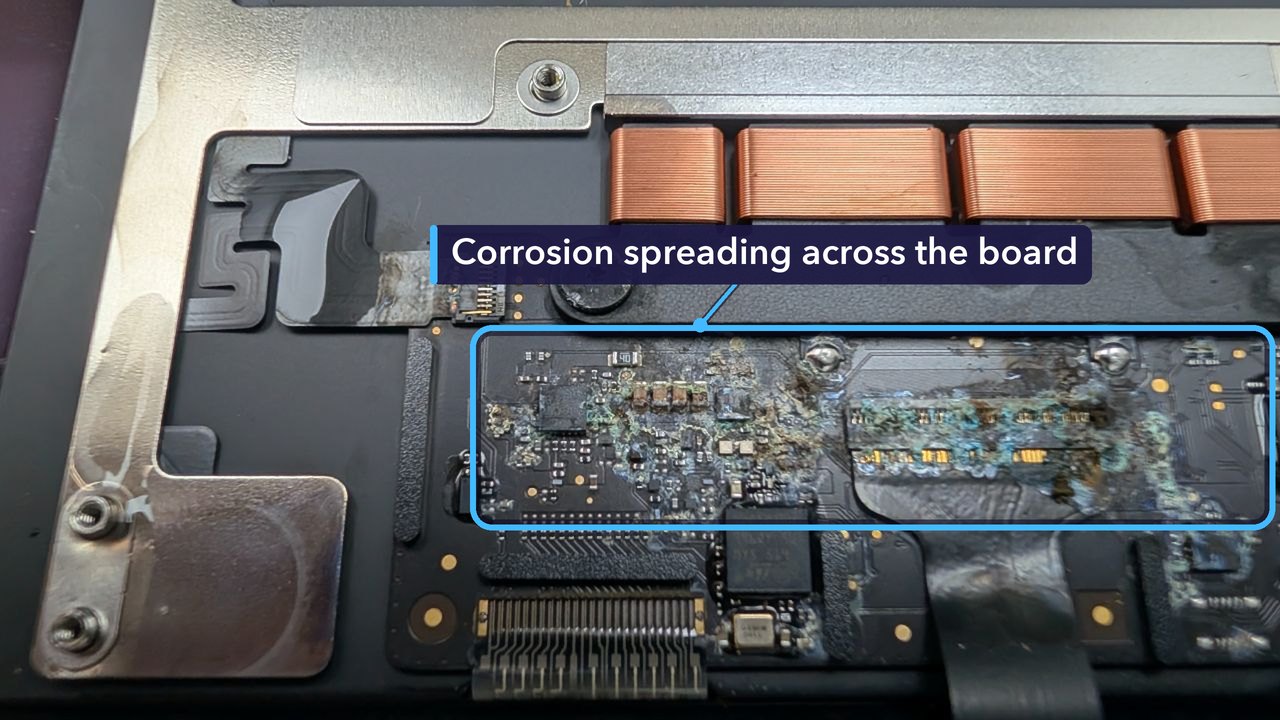
The replacement we fitted is listed for both the 13-inch M3 (A3113) and the 13-inch M4 (A3240) MacBook Air. Once it was in, the Mac went through our laptop test: all 76 keys, the trackpad, screen, speakers, microphone, camera and Wi-Fi, plus a stress test under full load. Every one of the 13 checks passed.
Spilled Something on Your MacBook? Do This First
- Switch it off straight away. If it won’t shut down normally, hold the power button until the screen goes black.
- Unplug the charger and anything else that’s connected.
- Don’t turn it back on to check. Power running through wet parts makes corrosion far worse.
- Open the lid and stand it upside down in a tent shape on a towel, so whatever is still inside can drain out through the keyboard instead of soaking further in.
- Skip the rice and the hairdryer. Rice can’t reach liquid under the keyboard, and heat can push it further in.
- Bring it in as soon as you can. The longer liquid sits inside, the more damage it does.
How Much Did It Cost, and How Long Did It Take?
£249 in total. That includes the £49 diagnostic. It came in on a Wednesday morning and we’d diagnosed it within half an hour. The customer approved the quote that afternoon, the new trackpad went in on Thursday, and the Mac went home on Friday morning.
No two liquid jobs are the same. The cost depends on what the liquid reached and how long it sat there before the Mac came in.
Get Your MacBook Fixed in St Andrews
If your MacBook has had a spill, switch it off and bring it in, and we’ll take a look. We’ll work out what the liquid has reached and give you a quote. No appointment needed.
Liquid that gets as far as the main board needs a logic board repair, which we also handle. You can read more about our MacBook repairs too.
Repair St Andrews, 1 City Rd, St Andrews, KY16 9XQ. Call 01334 478866 or walk in. Open Monday to Friday 09:30-17:30, Saturday 10:00-17:00.
