
MacBook Air Audio Board Replacement: A Real Repair in St Andrews
MacBook Air Audio Board Replacement: A Real Repair in St Andrews
MacBook Air Audio Board Replacement: A Real Repair in St Andrews
This gold 13-inch MacBook Air came into our City Road shop in August. With the bottom case off, we found liquid damage on the audio board, the small board that holds the headphone jack, and on the cable that links it to the rest of the Mac. There was also a caterpillar inside. It was still alive.
It came in on a Saturday, we found the fault that afternoon, and by Wednesday morning it had a new audio board and cable and was ready to collect. The bill came to £189.
What We Found Inside
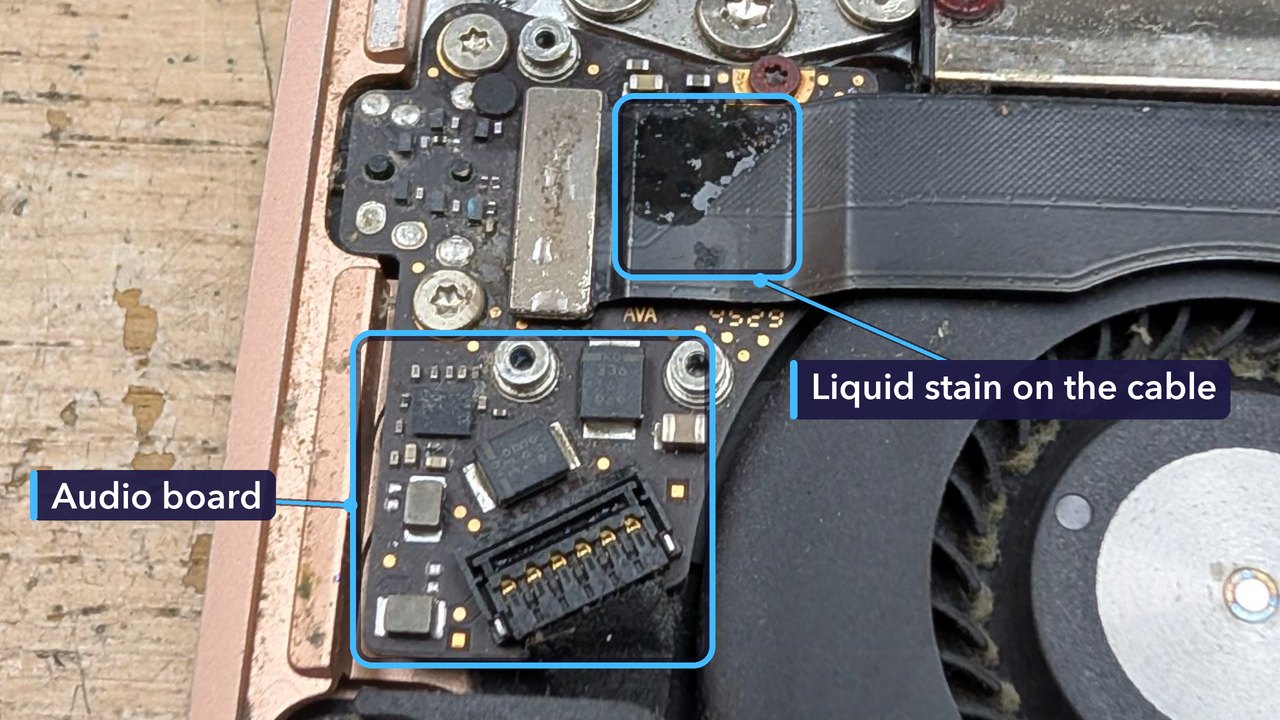
Liquid on a laptop doesn’t stay on the surface for long. It works its way down through the gaps and runs along whatever it touches inside, which in this MacBook Air meant the audio board and the cable leading away from it.
Then there was the caterpillar.
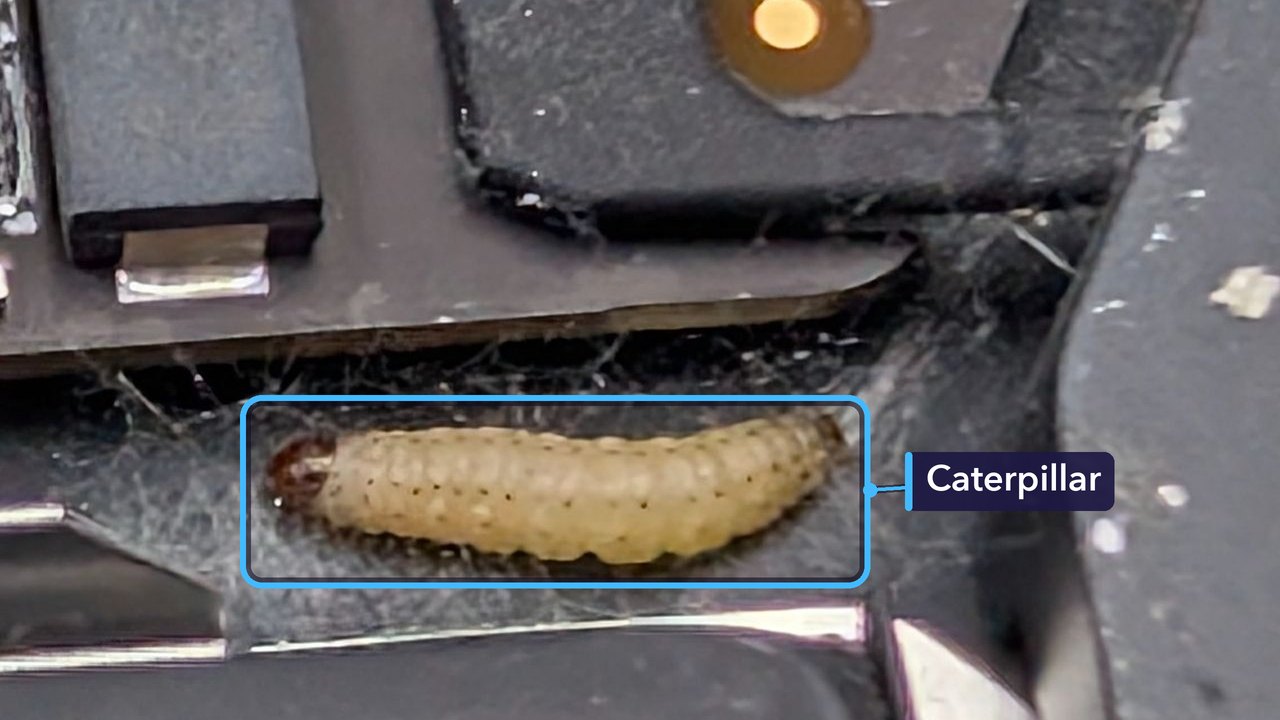
We don’t find one of those every day. The repair, though, was all about the liquid.
Why the Audio Board Had to Be Replaced
On this model the headphone jack has a small board of its own, separate from the logic board, which is the Mac’s main circuit board. Liquid on that audio board can cause crackling, a headphone jack that stops working, or a Mac that thinks headphones are plugged in when nothing’s there.
Here the liquid had reached both the audio board and its cable, so those were the parts to replace. They come as one part. It was the only one on the bill.
For the Technically Curious
The audio board we fitted is listed for the A1932, the 13-inch Retina MacBook Air from 2018 and 2019. A flat flex cable runs from it to the logic board, and a small metal bracket held down by three screws keeps the cable’s plug pressed onto its connector.
That connector has two rows of tiny pins, packed close together. Here it is with the cable unplugged.
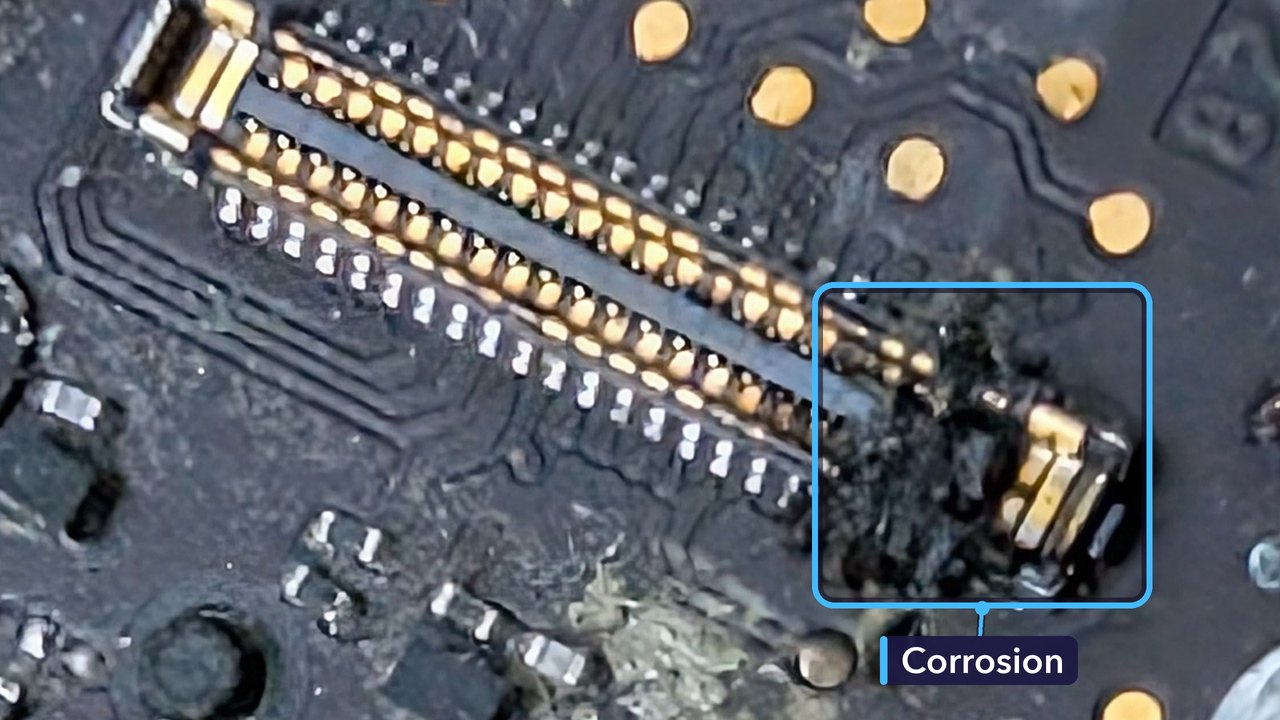
The plug on the end of the cable had black crust at one end too. That’s typical of liquid sitting on pins this close together, especially with power on them: current leaks from pin to pin where it shouldn’t, and the metal corrodes. Cleaning can lift the crust, but it can’t put back metal that’s gone, and corrosion keeps spreading for as long as moisture and power are there. So the fix was a new board and cable, not just a clean.
Had a Spill on Your MacBook? Here’s What to Do
- Switch it off straight away. If it won’t shut down, hold the power button until the screen goes dark.
- Unplug the charger, headphones and anything else that’s connected.
- Resist turning it back on to see if it works. Power running through wet parts makes corrosion much worse, and much faster.
- Turn it over with the lid open, like a tent, on a towel, so liquid can drain back out.
- Tell us what was spilled and roughly when. Sugary or milky drinks leave a sticky film, and even tap water leaves minerals behind as it dries.
- Get it checked even if it seems fine. Corrosion can take days or weeks to cause a fault.
How Much Did It Cost, and How Long Did It Take?
£189 in total, for the new audio board and its cable and a clean inside. We booked it in early on Saturday afternoon and had found the problem a little over three hours later. The quote went out on Monday morning. The customer approved it and paid online that afternoon.
The new board arrived on Tuesday. By Wednesday morning it was fitted and the Mac was ready to collect. It went home later that day. Four days, start to finish.
Every spill is different. What a repair costs depends on what the liquid reached and how long it sat there before the Mac came in.
Get Your MacBook Fixed in St Andrews
If your MacBook has had a spill, switch it off and bring it in. We’ll find out what the liquid has reached and give you a quote. No appointment needed.
When liquid gets as far as the main board, the fix is a logic board repair, and we handle those too. For anything else on your Mac, take a look at our MacBook repairs.
Repair St Andrews, 1 City Rd, St Andrews, KY16 9XQ. Call 01334 478866 or walk in. Open Monday to Friday 09:30-17:30, Saturday 10:00-17:00.
