
// EXTERNAL STORAGE
External Hard Drives & Storage in St Andrews. USB Drives, SSDs & More
Running out of space on your laptop? Need to back up your dissertation before something goes wrong? Moving files between computers and email won’t cut it? Whether you need a quick USB stick for a presentation or a proper external hard drive to safeguard years of work, you need storage. And you need it before your laptop fills up completely or your files are lost forever.
Repair St Andrews stocks external hard drives, portable SSDs, USB flash drives, and SD cards at our shop on 1 City Rd. We have been selling storage solutions since 2011, and we have also recovered data from drives that have failed. So we know better than most just how important it is to have a reliable backup. We do not just sell you a drive; we will help you choose the right type and capacity for your needs, and we will give you honest advice on how to keep your data safe.
Storage Solutions for Every Need
External Hard Drives
500GB to 5TB portable drives. USB-powered, works with Windows and Mac. The most storage for the lowest price. Ideal for large backups.
Portable SSDs
256GB to 2TB. Five to ten times faster than HDDs, no moving parts, drop-resistant. Perfect for everyday use and frequent file transfers.
USB Flash Drives
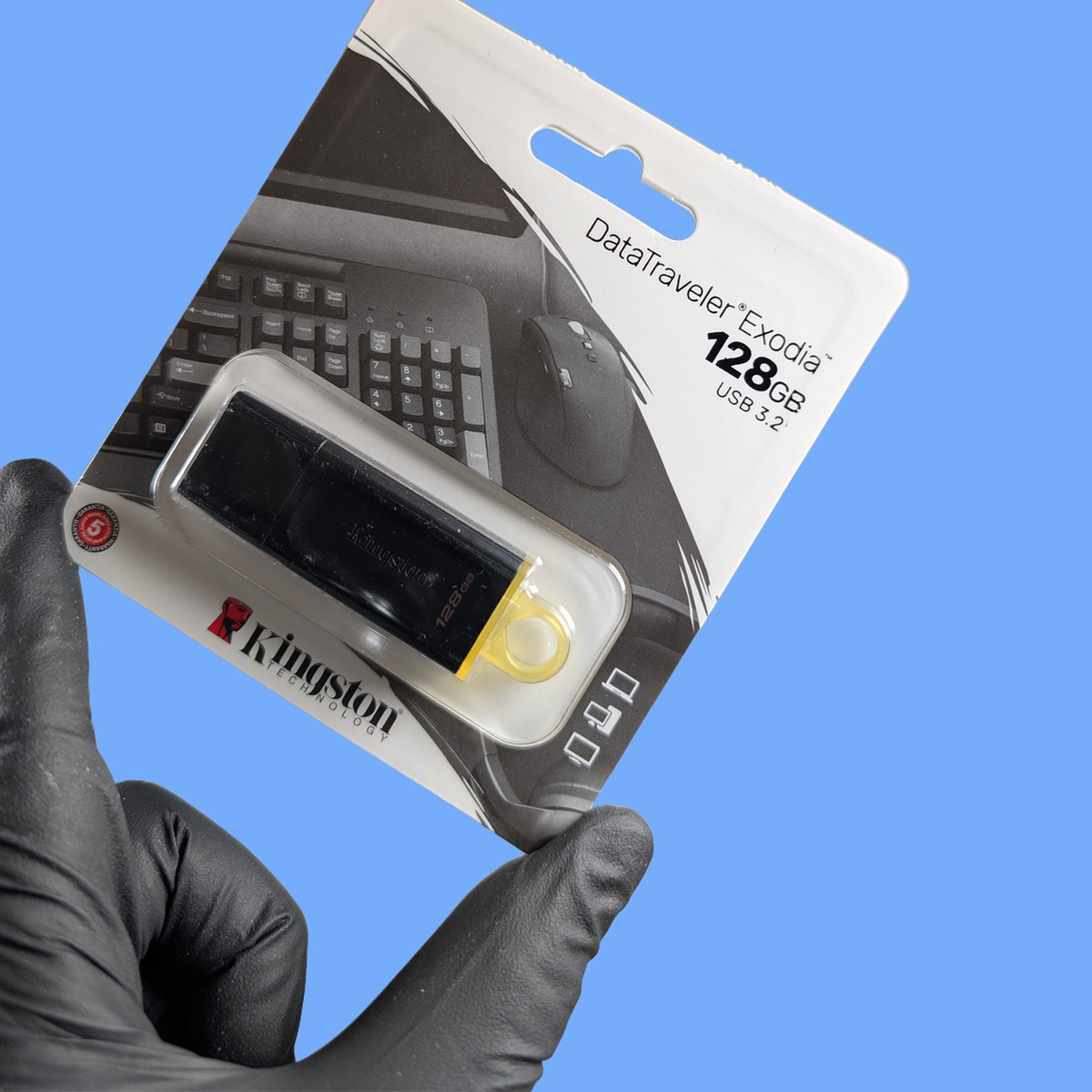
8GB to 128GB. USB 3.0 for fast transfers. Small enough for your keyring. Essential for students moving files between computers.
SD & MicroSD Cards
16GB to 256GB for cameras, drones, dashcams, Nintendo Switch, and phones. We match the right speed class to your device.
Backup Advice
Not sure what you need? Tell us what you want to back up and we will recommend the right device and show you how to set up automatic backups.
// WHY BACK UP
Protect What Matters
We run a data recovery service. We see what happens when people don’t back up. Don’t be one of them.
One Accident Away
Hard drives fail. Laptops get stolen. Coffee gets spilled. Ransomware encrypts everything. If your files are on one device with no backup, you are one accident away from losing everything.
The 3-2-1 Rule
Keep three copies of your data, on two different types of storage, with one copy off-site or in the cloud. Even just one external backup is dramatically better than nothing at all.
Set Up in 10 Minutes
We will help you choose the right drive and show you the simplest way to set up regular backups on Windows or Mac. It takes ten minutes and could save you from disaster.
HDD vs SSD. Which Should You Choose?
Traditional external hard drives offer the most storage for the lowest price. A 1TB drive holds roughly 250,000 photos or 500 hours of video. For most people, 1TB or 2TB is more than enough for a complete backup.
If you need to run applications from the drive or transfer huge files frequently, a portable SSD is the better choice. Five to ten times faster, lighter, more durable, and silent. SSDs cost more per gigabyte, but a 500GB or 1TB SSD strikes the perfect balance for most users.
USB Flash Drives & SD Cards
USB flash drives from 8GB to 128GB. USB 3.0 for fast transfers, small enough for your keyring, and essential for students. We also carry dual-ended drives with both USB-A and USB-C connectors.
SD and microSD cards from 16GB to 256GB for cameras, drones, dashcams, Nintendo Switch, and phones. We match the right speed class to your device so you get reliable performance.
Lost data from a failed drive? See our Data Recovery service.
Frequently Asked Questions
Should I buy an external hard drive or a portable SSD?
It depends on your priorities. An external HDD gives you more storage for less money. Great for large backups where speed is not critical. A portable SSD is faster, lighter, more durable, and silent. Ideal for everyday use, travelling, and frequent file transfers. For most students, a 1TB portable SSD is the sweet spot. For bulk backup of media collections, a 2TB or 4TB HDD is better value.
How much storage do I actually need?
For documents, essays, and general university work, 128-256GB is usually plenty. For photos and music, 500GB to 1TB is a comfortable amount. For video, large media libraries, or a full backup of your entire laptop, 1TB to 4TB is the right range. If in doubt, go one size bigger than you think you need. Storage fills up faster than you expect, and it is cheaper to buy a bigger drive now than to buy a second one later.
Will an external drive work with both Windows and Mac?
Most external drives come pre-formatted for Windows (NTFS or exFAT). ExFAT-formatted drives work with both Windows and Mac out of the box. NTFS drives can be read by Mac but not written to without additional software. If you need to use the drive on both platforms, let us know and we will format it to exFAT before you leave the shop. It takes two minutes.
My external hard drive has stopped working. Can you recover the data?
In many cases, yes. Our data recovery service handles failed external drives, corrupted USB sticks, and damaged SD cards. Do not try to fix it yourself. The more you poke at a failing drive, the harder recovery becomes. Bring it in and we will assess the situation and give you an honest answer about what is recoverable.
Which SD card do I need for my camera?
It depends on your camera and what you are shooting. For photography, a 32GB or 64GB U3/V30 card is the minimum for reliable burst-mode shooting and 4K video. For 4K drones and action cameras, a V30 or V60 card is recommended. Bring your camera in or tell us the model, and we will match the right card. Not sure? Call 01334 478866 and we will advise over the phone.
How long do external hard drives typically last?
A well-treated external hard drive should last three to five years with regular use. SSDs generally last longer because they have no moving parts. The key to longevity is to avoid dropping the drive, eject it properly before unplugging, and do not leave it in extreme heat. And always. Always. Keep a backup of anything important, because no drive lasts forever.
Can I use a portable SSD with both Mac and Windows?
Yes, as long as it is formatted to exFAT, which both operating systems can read and write. Most drives come formatted for Windows (NTFS), which Mac can read but not write to. If you need cross-platform compatibility, let us know and we will format it to exFAT before you leave. It takes two minutes.
What speed SD card do I need for 4K video?
For reliable 4K video recording, you need at least a U3 or V30 rated SD card. For 4K drones and action cameras, V30 or V60 is recommended. The speed class is printed on the card. Look for the U inside a shield shape or the V followed by a number. Bring your camera in or tell us the model and we will match the right card.
Need more accessories? Browse Laptop Chargers, Printer Ink, Computer Cables & Peripherals, or see all our Computer Accessories. Lost data from a failed drive? See our Data Recovery service. Visit our homepage for everything we offer.
// GET STARTED
Protect Your Data Today
Visit us at 1 City Rd, St Andrews, KY16 9XQ | Mon–Fri 09:30–17:30, Sat 10:00–17:00