
// IPAD CHARGING PORT REPAIR
iPad Charging Port Repair in St Andrews. Charge Reliably Again
Your iPad is slowly dying and there is nothing you can do about it. The charging cable falls out, or only works when you wedge it at an angle, or the iPad simply refuses to acknowledge it is plugged in at all. You have tried three different cables and two different wall adapters, and the result is the same. The battery drains, the iPad dies, and you are left with an expensive paperweight. The charging port is the problem, and we can fix it.
Repair St Andrews diagnoses and repairs iPad charging ports at our workshop on 1 City Rd, beside the West Port. Whether it is a blocked port that just needs a thorough clean, or a damaged connector that needs replacing, we handle it. We have been repairing iPads since 2011 and we cover every model. Lightning and USB-C.
Common iPad Charging Port Issues
Port Debris/Lint
iPads that spend time in bags, on dusty desks, or around the house accumulate lint, crumbs, and dust in the charging port. Because iPads charge less frequently than phones, the debris has more time to compact and harden. A professional clean often solves the problem completely.
Loose Cable Connection
The cable slides out easily or does not click in with the usual firmness. This is caused by worn internal spring contacts or debris preventing the cable from seating fully.
Intermittent Charging
The iPad charges sometimes, shows the charging icon briefly then stops, or only charges when the cable is held at a specific angle. The port's electrical contacts are corroded or partially damaged.
No Charging At All
The iPad shows no response when plugged in. No charging icon, no sound, nothing. The port may be physically broken, or the issue could be on the logic board's charging circuit. We test systematically to identify which it is.
Accessory Not Supported Warning
This message can appear when the port's contacts are dirty or corroded, causing the iPad to misidentify the cable. A clean or port replacement usually resolves it.
// OUR PROCESS
Our iPad Charging Port Repair Process
We keep the process simple so your iPad is back in your hands the same day.
Step 1: Diagnostic Check
We start by testing your iPad with a known-good cable and charger to eliminate accessories as the problem. Then we inspect the port under magnification, looking for compacted debris, corroded contacts, or physical damage. We also test the charging circuit with a USB ammeter to check whether current is flowing when a cable is connected. This tells us whether the fault is the port itself, the cable, or the logic board's charging IC. The diagnostic is free and takes about fifteen minutes.
Step 2: Clean or Replace
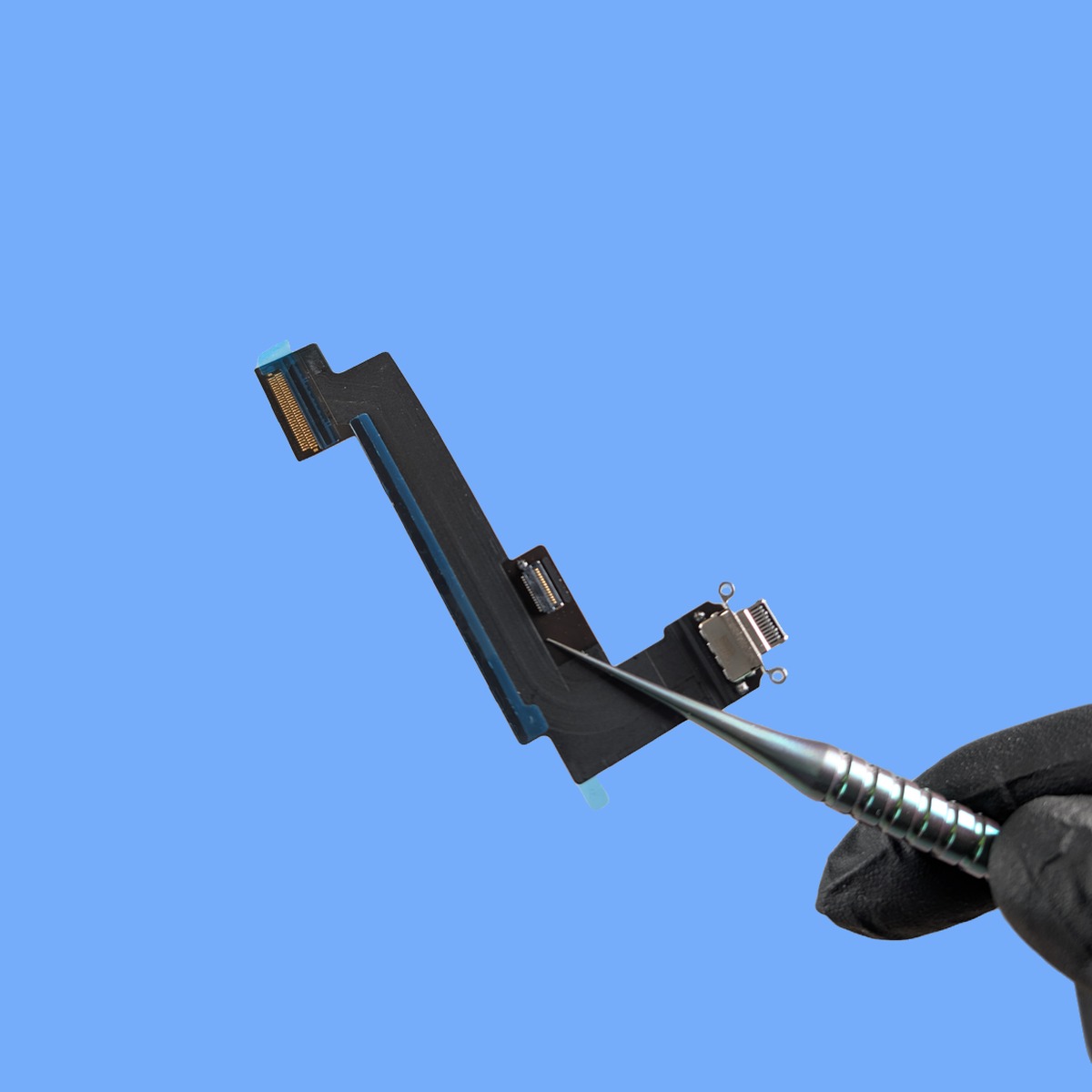
If the port is simply blocked, we clean it using anti-static precision tools. iPad ports are larger than iPhone ports and tend to accumulate more debris, so this is a surprisingly common fix. Especially on iPads used in kitchens, workshops, or by children. If the port is physically damaged. Bent pins, a cracked housing, or corroded contacts beyond cleaning. We replace the charging port assembly. On iPads, this is a more involved repair than on iPhones because accessing the port requires removing the screen (which is adhered to the frame) and disconnecting the battery. We handle the disassembly carefully and reseal everything when the repair is complete.
Step 3: Testing and Verification
After the clean or replacement, we verify that the iPad charges at the correct rate (iPads draw significantly more power than phones, so a weak connection shows up as extremely slow charging), that the cable seats firmly and stays put, that data transfer works via USB, and that the speakers and microphone (which share the same flex assembly on some iPad models) all function correctly.
Turnaround Time
A port cleaning takes about 20 minutes. You can wait while we do it. A full charging port replacement takes two to three hours because it requires screen removal to access the internals. We also allow time for the adhesive to cure when reattaching the screen. Drop the iPad off in the morning and it is typically ready by the afternoon.
Walk-ins welcome: Monday to Friday 09:30 to 17:30, Saturday 10:00 to 17:00. Call 01334 478866 to check availability.
iPad Charging Port Repair Pricing
Port cleaning is one of our most affordable iPad services. A full port replacement costs more due to the complexity of accessing the port (which requires screen removal on iPads) and the cost of the replacement part. Pricing varies by iPad model. Newer iPad Pro models with USB-C are different from older iPads with Lightning connectors.
We always diagnose the problem first and give you an accurate quote before any repair work begins. If it is just lint, you pay the cleaning price. We are not going to replace a port that only needs clearing out.
For a diagnostic and quote, call 01334 478866 or bring the iPad to 1 City Rd.
Frequently Asked Questions
My iPad charges wirelessly but not from the cable. Is that a port problem?
If your iPad supports wireless charging (currently only the iPad Pro M4 and newer models), then yes. If wireless charging works but wired does not, the port is almost certainly the issue. For older iPads that do not support wireless charging, this test is not available, but we have other diagnostic methods to isolate the fault.
Can a damaged charging port drain my battery faster?
Not directly, but a faulty port can create the impression of faster drain. If the port is not charging efficiently. Only delivering partial current or intermittently disconnecting during charging. The battery may not reach a full charge even though the screen says 100%. The result is that the battery seems to drain faster than it should because it was never truly full. Fixing the port restores proper charging behaviour and accurate battery readings.
My iPad is very old. Is it worth repairing the charging port?
If the iPad still works well for what you use it for, a port repair can give it several more years of life at a fraction of the cost of a new iPad. Even older iPads that no longer receive the latest software updates are perfectly good for browsing, video, email, and many apps. We will be honest with you. If the iPad is so old that the repair cost approaches its market value, we will let you know so you can make an informed choice.
Could the problem be my cable rather than the port?
Absolutely, and it is the first thing we rule out. Charging cables, especially third-party ones, wear out and develop internal breaks, often near the connector where they get bent repeatedly. We test your iPad with our own known-good cables during the diagnostic. If your cable is the problem, we will tell you. And we sell quality replacement cables in the shop if you need one.
Why does my iPad charge so slowly even though the port seems fine?
iPads have large batteries that require more power to charge. If you are using a small phone charger (5W or 10W), the iPad will charge extremely slowly. It can take ten hours or more. iPads need at least a 20W adapter for reasonable charging speeds, and iPad Pros benefit from 30W or higher. We often find that “slow charging” complaints are actually an adapter power issue, not a port problem. When you bring the iPad in, we will test the charging rate and advise you on the right charger for your model.
Can I clean the charging port myself?
You can try gently removing visible lint or debris with a wooden or plastic toothpick. Never use metal, as it can damage the delicate pins inside the port. If gentle cleaning does not help, or if you can see corrosion or bent pins, bring it to us. We have specialised tools and magnification to clean and repair ports without causing further damage. Many ‘dead’ charging ports are actually just packed with compressed lint and come back to life after a proper cleaning.
Is it cheaper to fix the port or buy a new iPad?
A charging port repair is always significantly cheaper than a new iPad. Typically a fraction of the cost. Even on older iPad models, the repair is worthwhile if the iPad otherwise works well. We will give you an honest assessment: if the repair cost approaches the value of the iPad, we will tell you so you can make an informed decision.
Will a different cable type work as a workaround?
If your iPad supports wireless charging (no current iPads do natively, though some cases add it), that could work temporarily. Otherwise, no. The Lightning or USB-C port is the only way to charge the iPad. Using a different brand of cable will not help if the port itself is damaged. The good news is that charging port repairs are straightforward and usually completed the same day.
Related services: iPad Screen Repair, iPad Battery Replacement, and iPhone Charging Port Repair. If you know your model, you can book directly for your iPad Pro 12.9" (6th Gen), iPad 10th Gen, iPad Air 5th Gen and iPad 9th Gen. Return to our homepage for all services.
// GET STARTED
Book Your iPad Charging Port Repair
Visit us at 1 City Rd, St Andrews, KY16 9XQ | Mon–Fri 09:30–17:30, Sat 10:00–17:00